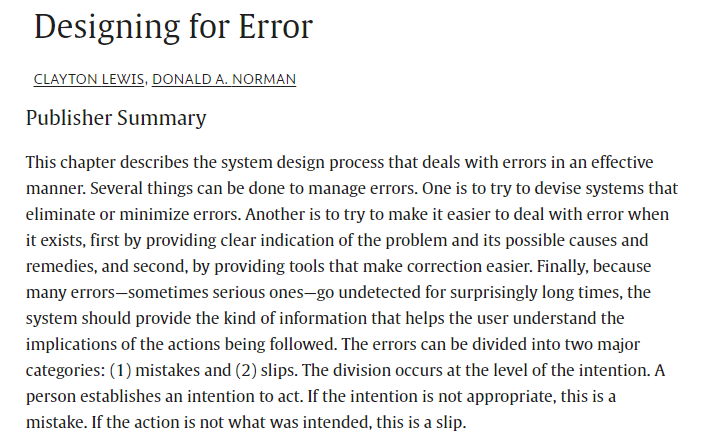
Another earlier (1995) banger from Don Norman and colleague on designing for error. This is a larger summary.
Of course, there’s newer stuff since published but it’s still a solid read.
It also has an elegant sentiment around what should be a cooperative approach between technical systems and people (e.g. instead of computers blurting out error chimes and messages, they should be actively trying to understand what people intended).
Also consider that many of the examples in this paper derive from computer software with more text-based than graphics-based UIs; but the principles remain relevant.
He starts with the point that people encountering faults on computers are confronted with sometimes offensive toned fault messages; leading them to believe that they’ve somehow performed a “serious misdeed due to their own incompetence”.
Even if they try to correct the fault, the information provided isn’t always sufficient to allow them to find the problem.
They question why “are these situations called “errors”? Instead of error, what we mean is that “the system can’t interpret the information given to it”. It’s called an error by convention, a fault generated by the user, but it’s a “rather arrogant point of view coming from a system designed to serve its users” (emphasis added).
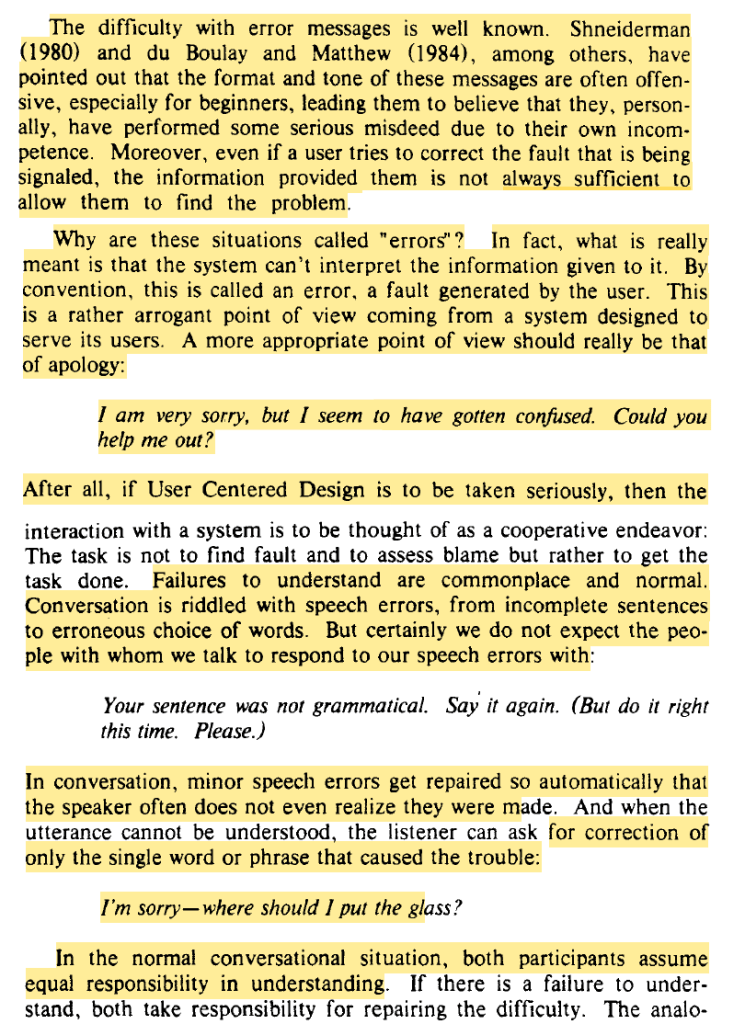
He says that instead of scalding the user for an error, it should be seen as an apology from the system – that is has confused the user, and needs help to assist the user in achieving the desired performance. User centred design should really be seen as a cooperative endeavour, not about assessing blame but to get the task done.
He draws an interesting comparison between system faults and conversation. Conversation is “riddled with speech errors, from incomplete sentences to erroneous choice of words. But certainly we do not expect the people with whom we talk to respond to our speech errors with [condescending fault messages that the user did something wrong].
During conversation, minor speech errors get repaired automatically such that the speaker often doesn’t realise they’ve made a mistake. Moreover, the listener can ask for connections on what they didn’t understand.
Put simply, “In the normal conversational situation, both participants assume equal responsibility in understanding”.
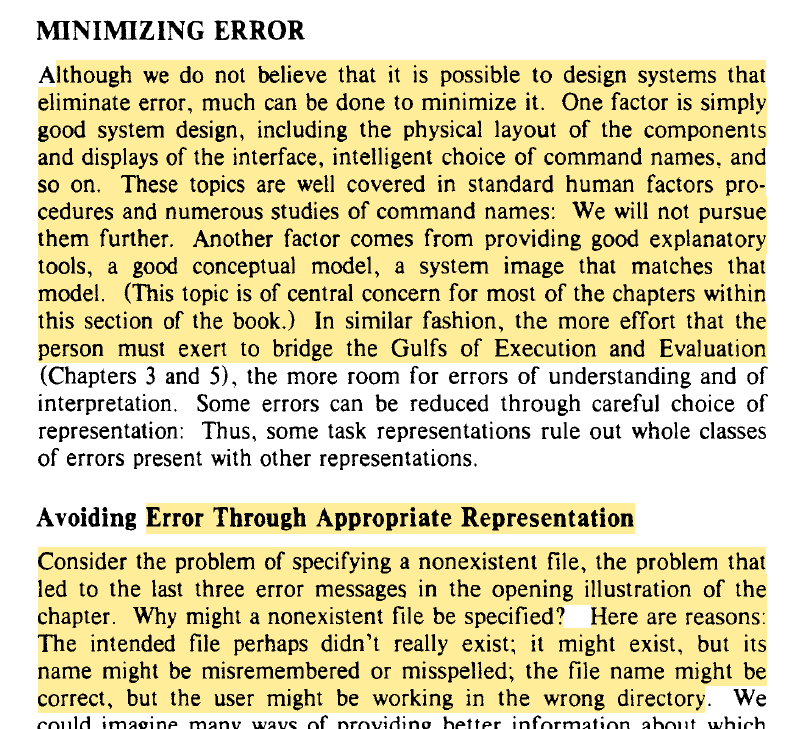
This is contrasted with typical human interaction with computers and systems. Although they don’t believe a system can be completely error proof, much can be done to minimise error.
DEALING WITH ERROR
First, they say that they’d prefer not to even use the term error; terms like misunderstanding, problems, confusions or ambiguities would be preferable. The “very term “error” assigns blame”, but importantly, “the system is just as much to blame for its failure to understand as is the user for a failure to be perfectly, unambiguously, precise”.
They say that several strategies can be adopted to navigate the error concept. One is devising systems to eliminate or minimise error, and another is to make it easier to deal with error when it exists – such as providing clear indication of the problem and its causes and remedies, and second by providing tools to make the correction easier. The system should also provide the necessary info that helps a user understand the implications of the actions being followed.
They cover some key categories of error – namely mistakes and slips. This paper covers slips, where the intended action isn’t correct. Many forms of slips don’t occur more often with beginners but instead the “highly practiced, automated behavior of the expert leads to the lack of focused attention that increases the likelihood of some forms of slips”.
Slips are said to often be less serious than mistakes.
Avoiding Error Through Appropriate Representation
They give the example of specifying a non-existent file in code or software. Why would a user specify a non-existent file? The intended file didn’t exist; it might exist but has a different name or was misspelled; the file name might be correct but the user is working in a different directory.
While we may consider these user issues, the “class of errors results from the representational format chosen by the system: Files are represented by typed strings of characters, thus requiring exact specification of the character string”.
Avoiding False Understandings
Some difficulties interacting with systems derive from a false understanding of the system’s properties. Hence, this class of errors can be minimised by giving more information about the actual system properties. Some false understandings can derive from people generalising more from a single experience than is warranted.
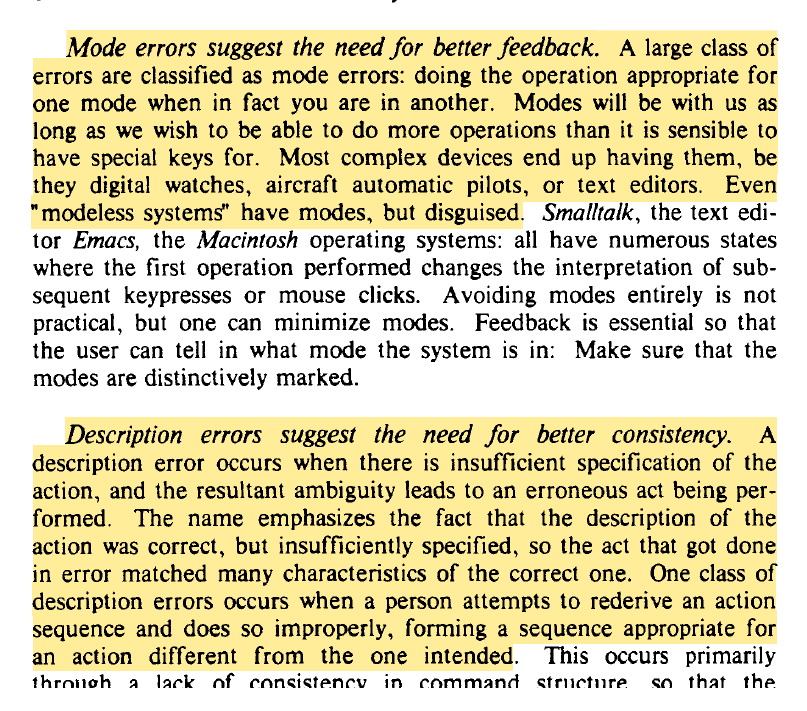
Next the paper discusses specific slips, like mode errors, description errors and capture errors. I’m skipping this because I covered it in other studies.
DETECTING ERROR
Detecting an error is the first step toward recovery. Early detection is important, as delayed detection allows steps to pile up; making it harder to diagnose the error and at what point that it happened.
Hence “Making errors show up clearly and quickly is a key design goal”.
Slips are easier to detect than mistakes, as in a slip the action that was performed differs from the intended action – you can compare the outcome with the intention. In mistakes, it’s the intention that is misplaced. Comparing the intention to the outcome is less helpful since the intention was wrong, even though intention and output match.
One challenge of identifying slips are system levels, where the level where actions take place may be at a different level at which the intention is formed. For instance, intentions are formed cognitively, whereas the action takes place in the physical world.
Another item hampering error detection is cognitive hysteresis: the “tendency to stick with a decision even after the evidence shows it to be wrong”. Here they note that it “takes less information to reach a particular interpretation of the situation than it does to give up that interpretation” and that people can form judgements of a situation rapidly, but that it takes “an enormous amount of information, time, and energy to cause them to discard that initial judgment”.
How Should the System Respond?
How should the system respond when it can’t interpret the user’s input? Two goals here:
1) figure out what the user intended so that the system can proceed with its actions,
2) warn the user when something inappropriate has or is about to take place.
One basic response to help signal a difficulty or ‘illegal action’ is to construct the system in a way such that difficulties prevent continued operation. This is called a forcing function, which is “something that prevents the behavior from continuing until the problem has been corrected”.
In this context, forcing functions “guarantees self-detection”, e.g. not being able to drive until the car is started with a key.
However, while forcing functions can guarantee detection of a problem, they can’t guarantee proper identification of it, e.g. the causes may not be evident.
They suggest six possible responses to forcing functions to make sense of difficulties:
1. Gag: a gag is a forcing function that deals with errors by preventing function from continuing, hence preventing the user from expressing impossible intentions. A gag “transfers the users’ concern from trying to do things to trying to say them”.
Hence, instead of letting the user try out various approaches to resolve the issue, it blocks expressions of intentions that are illegal. While these can be useful (especially for safety critical activities), it can also inhibit experiential learning.
2. Warn: Several types of warnings exist, e.g. buzzers, beeps, pop-ups etc. These have the logic of alerting the user and letting them decide how to respond. That is, while a gag “forces itself on the user: “Warn” is less officious”.
3. Do nothing. Some systems use a ‘do nothing’ approach where if you attempt an illegal action, nothing special happens. The lack of movement after you attempt to drive a vehicle that hasn’t been started is an example of do nothing.
The do nothing method “relies on visibility of the effects of its operations to convey the gap between intentions and outcomes”. It’s the simplest error technique and when used appropriately, can have important advantages. For instance, the do nothing method allows the user to stay focused on the domain of actions and their effects rather than being drawn out to error messages. The user may need to experiment to discover why the action didn’t work, but this also has a positive side.
4. Self correct: This approach is where the system tries to guess what the intended action was, or a legal action that the user would like to take. For instance, a simple spelling correction is an example of this approach.
5: Let’s talk about it: Some systems are said to respond to problems by trying to initiate a dialogue with the user. This is considered a major step forward toward true interaction.
6. Teach me: This is where the system queries the user to find out what particular phrase or command might have meant, like where a system finds a word it doesn’t understand.
CORRECTING ERROR
If an error occurs, people try to recover from them. Some systems provide general responses to assist – like ‘undo’ functions.
Other systems structure their operations where they have a natural inverse (“Erasing a line is the inverse of drawing, and vice versa”).
Undo functions at the least are desirable system capabilities, where possible. Implementation, particularly in industrial contexts, are nontrivial.
Discussing the info people need for correcting error, one author suggested that “the user needs to know what the current state of the system is (sites), where one came from (trails) and what the possible alternatives are (modes)”.
It’s highlighted that the interaction and feedback between systems and people “should be one of genuine cooperation … The user tried, and got it wrong”. They suggest that instead of seeing an input as an error per se, “but as the user’s first iteration toward the goal”.
Further, they argue that “The system should do its best to help. If it can figure out what was intended, so much the better. If not, it should explain gracefully where its problem is, perhaps making suggestions”.
In software, an example is not having to retype a long sequence or redoing a long set of operations when only one detail was in error [** remember the age of this paper – they’re focusing more on command-driven software.]
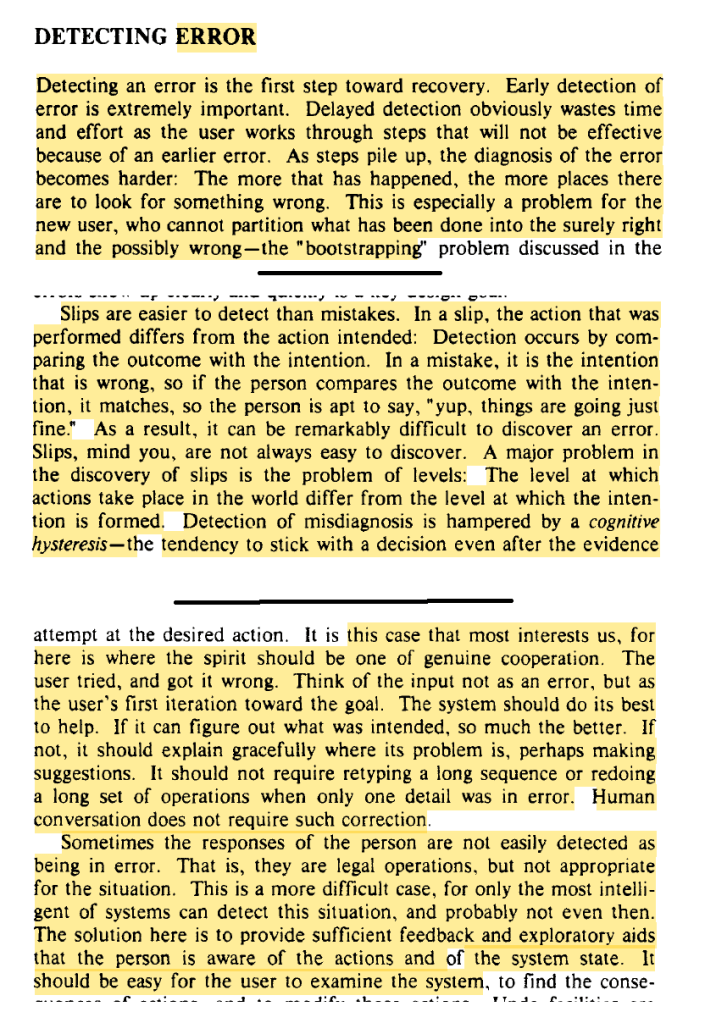
Sometimes the input errors are easily detected since they are ‘legal operations’, but not appropriate for the situation. Here “only the most intelligent of systems can detect this situation, and probably not even then” [** although given the developments in LLM and AI, we’re closer than ever].
Therefore, the main approach should be to provide sufficient feedback and explanatory aids to inform the person of potential actions and of the system state; it should be easy for a person to examine the system.
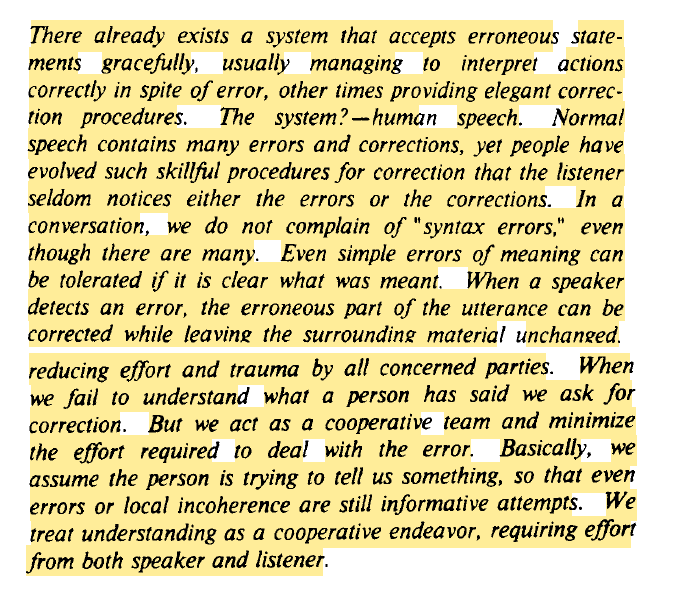
Finally, and I love this bit, they say that “There already exists a system that accepts erroneous statements gracefully, usually managing to interpret actions correctly in spite of error, other times providing elegant correction procedures”.
Which system is this? “human speech. Normal speech contains many errors and corrections, yet people have evolved such skillful procedures for correction that the listener seldom notices either the errors or the corrections”.
They further discuss how in a normal conversation “we do not complain of “syntax errors,” even though there are many. Even simple errors of meaning can be tolerated if it is clear what was meant. When a speaker detects an error, the erroneous part of the utterance can be corrected while leaving the surrounding material unchanged reducing effort and trauma by all concerned parties”.
If we fail to understand what a person was asking for, we ask for correction; we don’t provide a syntax error warning. People act cooperatively and minimise the effort required to deal with the error during speech.
That is, “we assume the person is trying to tell us something, so that even errors or local incoherence are still informative attempts. We treat understanding as a cooperative endeavor, requiring effort from both speaker and listener”.
Authors: Lewis, C., & Norman, D. A. (1995). Designing for error. In Readings in human–computer interaction (pp. 686-697). Morgan Kaufmann.

Study link: https://doi.org/10.1016/B978-0-08-051574-8.50071-6
My site with more reviews: https://safety177496371.wordpress.com
LinkedIn post: https://www.linkedin.com/pulse/designing-error-ben-hutchinson-oabcc

 SafetyInsights.org
2 thoughts on “Designing for error”